Working Multimodally (Beyond Text and Image)
When we think of generative AI, we usually envision a classic chat box where we type in text and receive text back, or possibly a prompt that generates an image. However, development is progressing at a blistering pace, and today’s modern AI assistants are what is known as “multimodal”. This means that they are no longer restricted solely to text. They have acquired the ability to see, hear, and analyse several different file formats simultaneously. Understanding and utilising multimodal functions is what truly transforms your AI assistant from a smart typewriter into a fully-fledged analytical colleague.
Let us use an analogy from working life: Previously, your AI was like a pen pal you could only send written messages to. Today, your AI is like a colleague sitting next to you at your desk, to whom you can hand a piece of paper and say: “Look at this and tell me what you see.” It is here that the greatest time savings are hidden for many office workers.
Let us examine three highly concrete examples from a typical working day:
-
The Rapid Data Analyst:
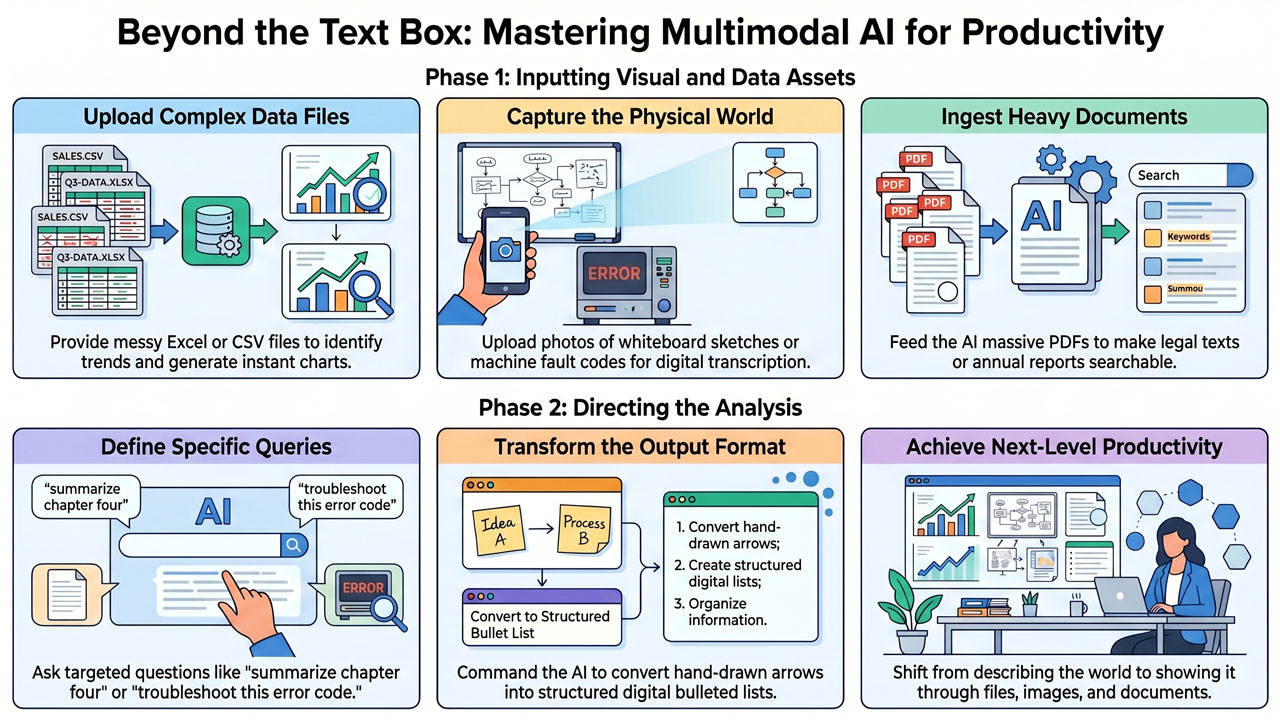
Imagine that you receive a large, messy Excel file (or a CSV file) filled with thousands of rows of sales figures from the most recent quarter. Instead of sitting and building pivot tables yourself for hours, you can upload the file to your AI assistant. Then you write: “Here is the sales data for Q3. Analyse the file and identify the three best-selling product categories. Then create a brief summary of the trends you see, and draw a bar chart showing the distribution.” The AI reads the data, draws the conclusions, and provides you with a finished foundation in seconds. -
Interpretation of the Physical World:
Are you sitting in a meeting where you have been brainstorming vigorously and drawn a complex process map on a whiteboard? Previously, this meant that some unfortunate person had to photograph the board and then spend an hour transcribing everything into a digital document. With a multimodal AI, you simply take a picture with your mobile telephone, upload the photo and write: “Transform this hand-drawn sketch into a structured, digital bulleted list.” The AI can even read sloppy handwriting and understand arrows and connections. The same applies if a machine in the warehouse displays an incomprehensible fault code on a small screen; photograph it and ask the AI what the code means and how to troubleshoot the problem. -
Conversing with Heavy Documents:
Often we are presented with massive PDF documents – a new legal text of 200 pages, a comprehensive procurement policy, or an annual report. By uploading the document, you can begin to “chat” with it. You can ask: “Is there anything in this document that mentions wellness allowances?” or “Summarise chapter four with a focus on what applies to subcontractors.”
By working multimodally, you break the boundaries of what prompting is. You no longer need to describe everything with words; you can show the AI the world through files, images, and documents. This is the key to next-level productivity.