Getting Started with Generative AI
Moving from understanding the technology to actually using it is often the step where many become stuck. One has logged into an AI tool, stares at the inviting text box, and suddenly feels that one does not know what to ask. How does one actually incorporate this into their daily routine? The answer is to start small, remain curious, and look for “friction” in your working day. Friction entails those tasks that feel tedious, time-consuming, or that cause you to procrastinate.
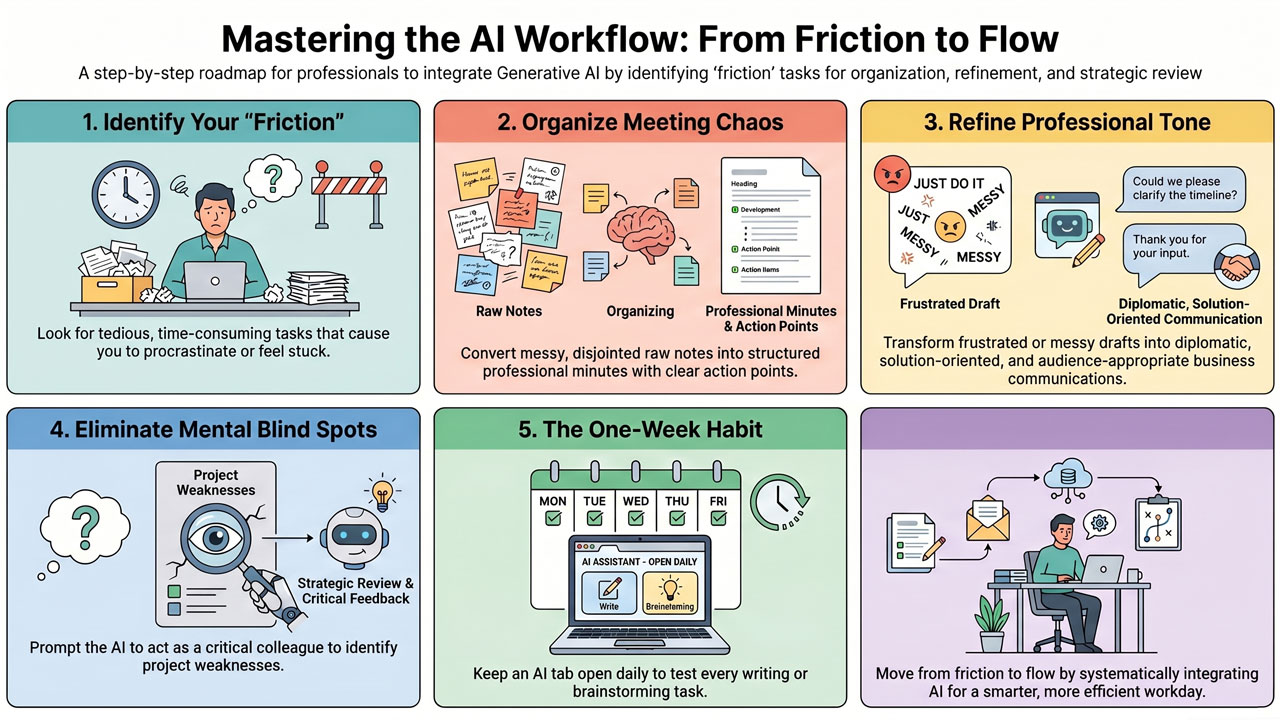
To get started in concrete terms, you need to identify which types of tasks the AI excels at. Here are some practical and common scenarios where you can immediately begin to benefit from generative AI:
-
Structure chaos into order: You have just emerged from a one-hour meeting. Your notes are a complete mess of disjointed keywords, half-finished sentences, and loose thoughts written down in great haste. Instead of spending 45 minutes making a fair copy of this, you can paste your messy notes into your AI assistant (remember to anonymise if necessary!) and write: “Here are my raw notes from a project meeting. Please structure this into a professional format with clear headings, a summary of what we discussed, and a bulleted list of next steps/action points.” In an instant, you have a finished set of meeting minutes.
-
Tone adjustment and rephrasing: Have you ever written an email when you were stressed or frustrated, only to realise that it sounds a bit too unpleasant? AI is fantastic at handling tonality. You can take your draft, insert it into the assistant, and ask: “Make this text more diplomatic, professional, and solution-oriented, but retain the core message that we cannot accept the late delivery.” Here, the AI functions as your personal communications advisor, helping you to preserve good relationships.
-
Linguistic review and adaptation: Even if you are proficient in English, it can be difficult to get the right business jargon or flow in an important presentation. You can write your text in Swedish, or broken English, and instruct the AI: “Translate and adapt this text into professional business English suitable for an American investor.” The AI does not merely translate word for word as older programmes did; it adapts idioms, flow, and cultural context.
-
Look out for blind spots: When you have spent a long time working on a plan, a presentation, or a client case, you easily become blind to its flaws. Paste your work and ask the AI: “Play the role of a critical yet constructive colleague. Read through this proposal and provide me with three potential counter-arguments or weaknesses that the client might point out.” This helps you stress-test your ideas before they encounter reality.
The best way to get started is to promise yourself to keep the AI assistant open in a computer tab every day for a week. Every time you face a task that involves writing, reading, summarising, or brainstorming, ask yourself: “Can AI do some of this work for me?”.