AI Training Courses

Our Specialities: The Tools That Transform the Working Day
We have chosen to specialise in the platforms that have the greatest impact on how we actually work here and now. We make AI comprehensible and applicable through:
Microsoft Copilot 365: We integrate AI into the heart of your Office environment, allowing you to focus on analysis and decision-making whilst the technology manages the administration.
Google Workspace AI (Gemini): We teach you to transform your Google ecosystem into a creative engine where documents, spreadsheets, and presentations construct themselves under your guidance.
Notion AI: We build intelligent knowledge hubs where information is not merely stored, but actively assists you in thinking faster and smarter.
AI Driving Licence
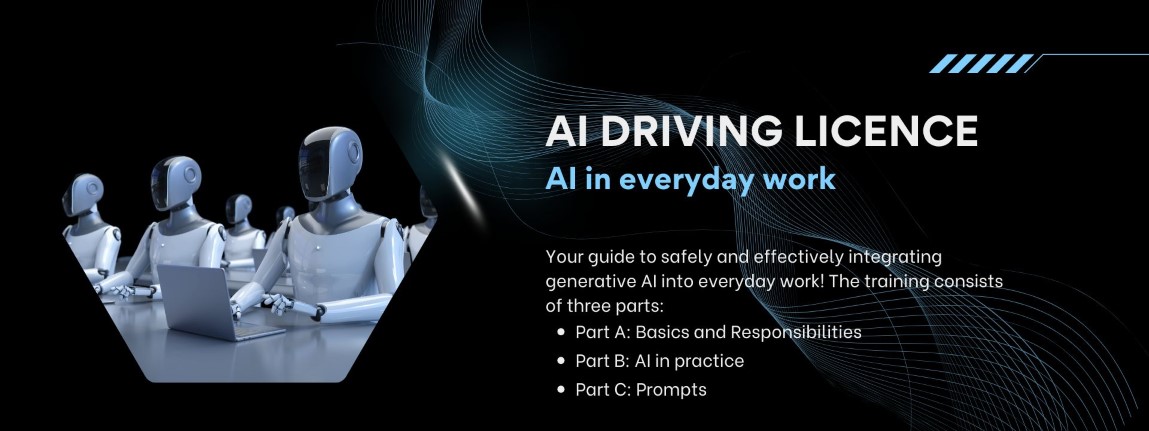
The course “AI Driving Licence” aims to provide users with the right prerequisites to effectively, safely, and responsibly integrate generative AI into their working day. The training is structured into three overarching blocks that progress from fundamental understanding and regulations, to technical insight and advanced practical application.
Read more
AI Driving Licence
The course “AI Driving Licence” aims to provide users with the right prerequisites to effectively, safely, and responsibly integrate generative AI into their working day. The training is structured into three overarching blocks that progress from fundamental understanding and regulations, to technical insight and advanced practical application.
Part A: The Basics and Responsibility
The introductory section establishes what generative AI is and how it differs from traditional, analytical AI through its ability to create entirely new content. One of the most central principles highlighted is having “the human at the helm” (Human-in-the-loop). Because AI tools lack morality, contextual understanding, and legal responsibility, a human being must always review, edit, and approve the material that is produced.
The section subsequently highlights important risks and laws within the AI landscape. The EU AI Act is introduced as a risk-based tier system where AI systems are divided into four levels (from unacceptable to minimal risk) to safeguard fundamental rights. Information security is another critical area; users are urged never to input personal data (GDPR) or trade secrets into open AI services. Furthermore, intellectual property rights are discussed, noting that machine-created works currently rarely reach the “threshold of originality” required for copyright protection. Additionally, the course draws attention to AI-driven security threats in the form of sophisticated phishing emails and deepfakes, as well as the technology’s significant environmental footprint related to high energy and water consumption.
Part B: AI in Practice
In Part B, the focus shifts to how the technology behind AI actually functions. Large Language Models (LLMs) are explained not to be thinking machines, but rather advanced probability engines that mathematically calculate and guess which word should follow next, akin to a mobile telephone’s automatic fill-in feature.
The course recommends viewing the AI as a new, lightning-fast yet inexperienced digital colleague. For the collaboration to function, an ongoing dialogue and clear context are required. Special emphasis is placed on critical thinking, as AI systems frequently produce so-called “hallucinations” (factual errors presented with great confidence) and can exhibit built-in prejudices (bias) based on their training data. Participants are encouraged to start small, evaluate tools such as ChatGPT, Microsoft Copilot, or Google Gemini, and actively search for administrative “bottlenecks” to streamline.
Part C: Prompts – Become a Master at Directing the AI
The final section serves as a practical handbook on “prompting”, which is described as the new way to programme computers via one’s mother tongue. The core of the section is a proven 6-step model for building the perfect instruction: specify the Role, clarify the Task, provide Context, determine the Format, set the Tone, and define Limitations.
To reach the next level, the methods “Few-shot prompting” (giving the AI examples to mimic for the correct tonality) and “Chain of Thought” (asking the AI to think step-by-step to minimise logical errors and hallucinations) are presented. Part C also covers multimodal AI tools, where users can go beyond text to upload large documents, spreadsheets, or pictures of sketches for immediate analysis. The course concludes with the principles for successfully generating bespoke images, which requires exact descriptions of the main subject, environment, lighting, style, and camera angle. Here you will also find examples and a list of AI benefits per profession.
Online Course
The AI Driving Licence is an online course featuring the option to take a knowledge test upon completion. You will receive access (a password) to the course when you order any of our AI training programmes below. You may also order it as a foundational AI course for all your employees – contact us for further information. We recommend that you complete the course prior to commencing any of our training programmes below, in order to familiarise yourself with AI terminology and functions. Link to the course
Intensive courses
Copilot 365 - Intensive
Intensive AI training: Focus Plaud and Copilot 365
Training duration: 5 hours
Target group: Companies that intend to implement Copilot AI in 365.
We recommend having the paid version of Copilot to benefit from the training.
The free version of Copilot is severely limited and substandard and we will not show or use that version in the training.
Course content:
Efficient meeting management with AI.
Meeting recording with Plaud, transcription and automated production of analysis, summary, to-do lists and mind maps. Inspirational display of further processing in NotebookLM.
Data & File Management
We demonstrate how AI simplifies searching and managing files and content in Copilot 365.
Copilot in the 365 apps
Showing the features and capabilities of Copilot in the 365 apps (Outlook, Word, Excel and Powerpoint).
Create agents with Copilot
Introduction to automating with AI agents in 365
Using ChatGPT with 365
We show you how you can connect and use ChatGPT with your 365 account.
AI benefit analysis
Presentation of an AI benefit analysis with a clear roadmap adapted to the organization’s size and needs.
Google Workspace AI - Intensive
Intensive AI Training: Focus Plaud and Google Workspace Standard AI
Training duration: 5 hours
Target audience: Companies that intend to implement Google Workspace Standard AI.
We recommend that you have at least Google Workspace Standard AI installed to benefit from the training.
Course content:
Efficient meeting management with AI.
Meeting recording with Plaud, transcription and automated production of analysis, summary, to-do lists and mind maps. Inspirational display of further processing in NotebookLM.
Data & File Management
We demonstrate how AI simplifies searching and managing files and content in Google Workspace Standard AI.
NotebookLM
We demonstrate how you can easily create content with NotebookLM (audio podcasts, presentations, infographics, mind maps, quizzes, and more)
AI in the Workspace apps
Viewing features and capabilities with AI in Google Workspace Standard AI (Gmail, Docs, Sheets, and Slides).
Create agents with Google GEMs
Introduction to automating with AI agents in Workspace
Using ChatGPT with 365
We show you how you can connect and use ChatGPT with your 365 account.
AI benefit analysis
Presentation of an AI benefit analysis with a clear roadmap adapted to the organization’s size and needs.
Basic education
Copilot 365
AI Training: Focus Plaud and AI File Management for 365
Training duration: 5 sessions of 2 hours each
Target audience: Companies that intend to implement Copilot 365.
Opportunity | Focus area | Content and objectives |
1. Startup and Vision | Setting goals and | Content: Kick-off meeting to determine the purpose, goals and
Inspirational display of leading AI services: Plaud |
2. Deep diving in Plaud | Streamline meeting management with AI. | Content: Meeting recording, transcription and automated production of
Assignment : Record a number of meetings with Plaud |
3. Plaud and File Management with AI | Efficient search and | Content: Follow-up of Plaud usage.
Data & We demonstrate how AI |
4. AI/Copilot in | Optimize work in Outlook, Word and | Content: Demonstration of functions and possibilities with AI/ Copilot
Assignment : Create agents with Copilot |
5. Follow-up and Looking Forward | Evaluation and | Content: Monitoring agent usage.
AI Viewing
Looking ahead Development and |
Google Workspace AI
AI Training: Focus Google Workspace Standard AI
Training duration: 5 sessions of 2 hours each
Target audience: Businesses looking to implement Google Workspace AI capabilities.
Opportunity | Focus area | Content and objectives |
1. | Setting | Content: Kick-off meeting to
Inspirational display of leading AI services: Plaud Notepin , Google Workspace Standard with AI, Copilot , |
2. | Streamline | Content: Meeting recording,
Assignment : |
3. | Efficient | Content: Follow-up of Plaud usage.
Data We |
4. | Structure | Content: Display of functions and
Practical
Assignment : |
5. | Evaluation | Content: Follow-up to NotebookLM and Gems.
AI Viewing
Looking ahead Development |
Notion Second Brain AI
AI Training: Focus Notion Second Brain
Training duration: 5 sessions of 2 hours each
Target audience: Businesses looking to implement Google Workspace AI capabilities.
Opportunity | Focus area | Content and objectives |
1. | Setting | Content: Kick-off meeting to
Inspirational display of leading AI services: Plaud Notepin , Google Workspace Standard with AI, Copilot , |
2. | Streamline | Content: Meeting recording,
Assignment : |
3. | Efficient | Content: Follow-up of Plaud usage.
Data We |
4. | Structure | Content: Display of functions and
Practical
Mission : |
5. | Evaluation | Content: Follow-up of agents.
AI Viewing
Looking ahead Development |
Special training courses
Plaud deepening
We take a deep dive into how you can optimize your use of your Plaud device.
- Choose the right prompt depending on the situation.
- Record meeting with Plaud Desktop.
- Distribute meeting files to all participants.
Google NotebookLM plus
We make you a pro at Google’s AI tool NotebookLM.
We help you with optimal data collection and special prompts and settings that make your NotebookLM productions stand out.
In NotebookLM you can do:
- Professional audio podcasts
- Create video overview
- Create presentation
- Create a mind map
- Create reports
- Create question cards
- Create Quiz / Knowledge Test
- Create infographics
- Create data table
Google Gems Agents
Let Google Gems agents do the work for you.
We train you on how to maximize your use of these agents and how to link your NotebookLM books and optimize your organizational data.
Notion AI immersion
Get full control of Notion with a deep dive into what Notion AI can do for you.