6 Steps to the Perfect Prompt
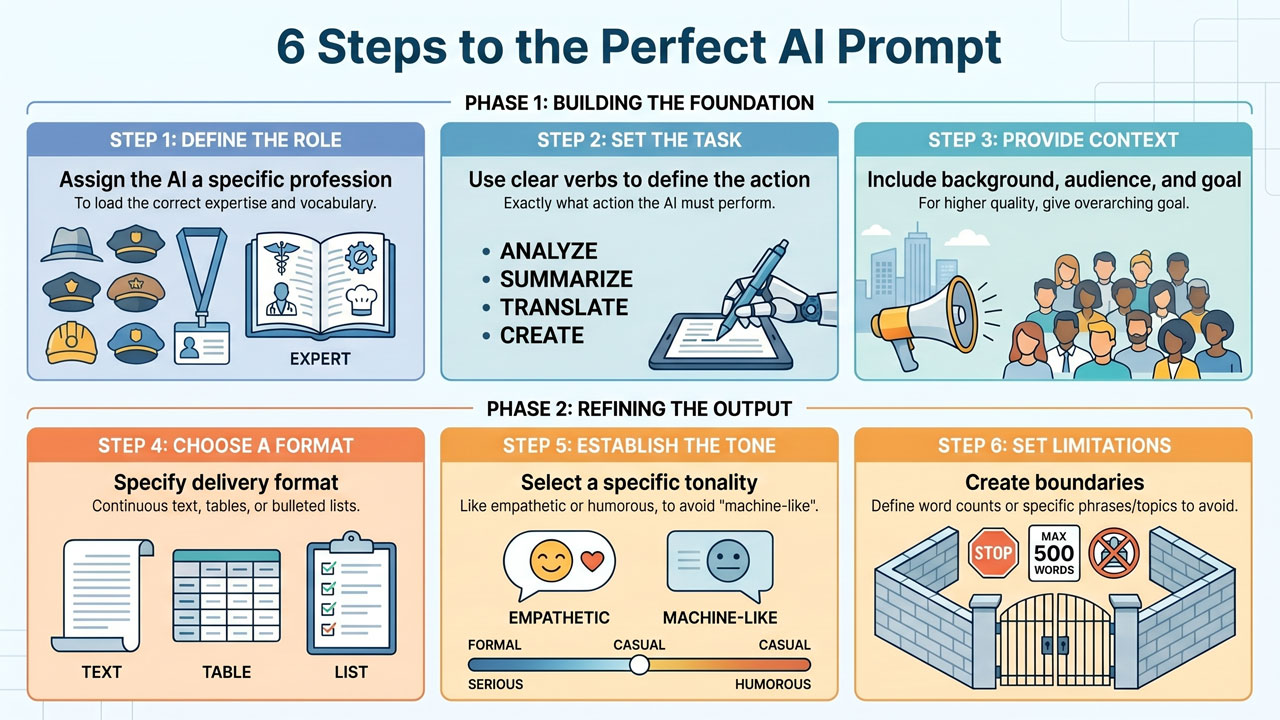
When you are faced with a slightly more complex task, whether it involves writing a report, planning an event, or drafting a difficult customer email, it helps enormously to have a structure to lean upon. Instead of merely writing the first thought that pops into your head, I recommend that you use a framework. By building your prompt based on these six steps, you transform an ordinary question into a razor-sharp instruction that provides you with fantastic results every time.
-
The Role (Who should the AI be?) Begin by assigning the AI a specific role or profession. This helps the language model to immediately load the correct vocabulary, jargon, and expertise. Example: “Act as a senior project manager with twenty years of experience in change management.”
-
The Task (What is to be done?) Be crystal clear regarding exactly what action you want the AI to perform. Use clear verbs. Should it summarise, rewrite, translate, structure, analyse, or create something from scratch? Example: “Your task is to write an invitation to our department’s upcoming kick-off.”
-
The Context (Why, and for whom?) This is the step where most people are careless, but which is the most important for quality. Give the AI the background information. Why is this being done? Who is the target audience? What is the overarching goal? Example: “The recipients are 50 employees within IT support who have had an extremely stressful autumn. The purpose of the kick-off is to celebrate their hard work, build team spirit, and launch our new well-being goals. The event takes place on 15 October at the City Hotel.”
-
The Format (How should it be packaged?) How do you want the response delivered? AI can package information in an infinite number of ways, so you must guide it. Do you want continuous text, a bulleted list, a table, a formal report structure, or a code snippet? Example: “Structure the response as an email with a punchy subject line. Use a clear bulleted list for the agenda itself.” The Tone (What feeling should be conveyed?) Specifying tonality is the best trick to prevent the text from sounding like a machine. Should the text be formal, light-hearted, empathetic, humorous, academic, or sales-oriented? Example: “
-
The tone should be warm, encouraging, and slightly humorous, whilst simultaneously showing genuine appreciation for their hard work.”
-
Limitations (What should be avoided or what rules apply?) Here you erect the fence for the AI. Are there things it absolutely must not write? Is there a maximum word count? Example: “The text must be a maximum of 200 words long. Do not use any clichéd expressions such as ‘synergy’ or ‘take it to the next level’. Avoid mentioning previous system crashes.”
The finished super prompt: If we combine these six steps, we have gone from “Write an invitation email” to: “Act as a senior project manager. Your task is to write an invitation to our department’s kick-off. The recipients are 50 employees within IT support who have had a stressful autumn. The purpose is to celebrate their work and build team spirit. The event is on 15 October at the City Hotel. Structure the response as an email with a punchy subject line and a bulleted list for the agenda. The tone should be warm, encouraging, and slightly humorous. The text must be a maximum of 200 words long and you must not use clichéd expressions.” The result of this prompt will be a draft that is almost ready to be sent directly.