Getting Started with Your AI Assistant
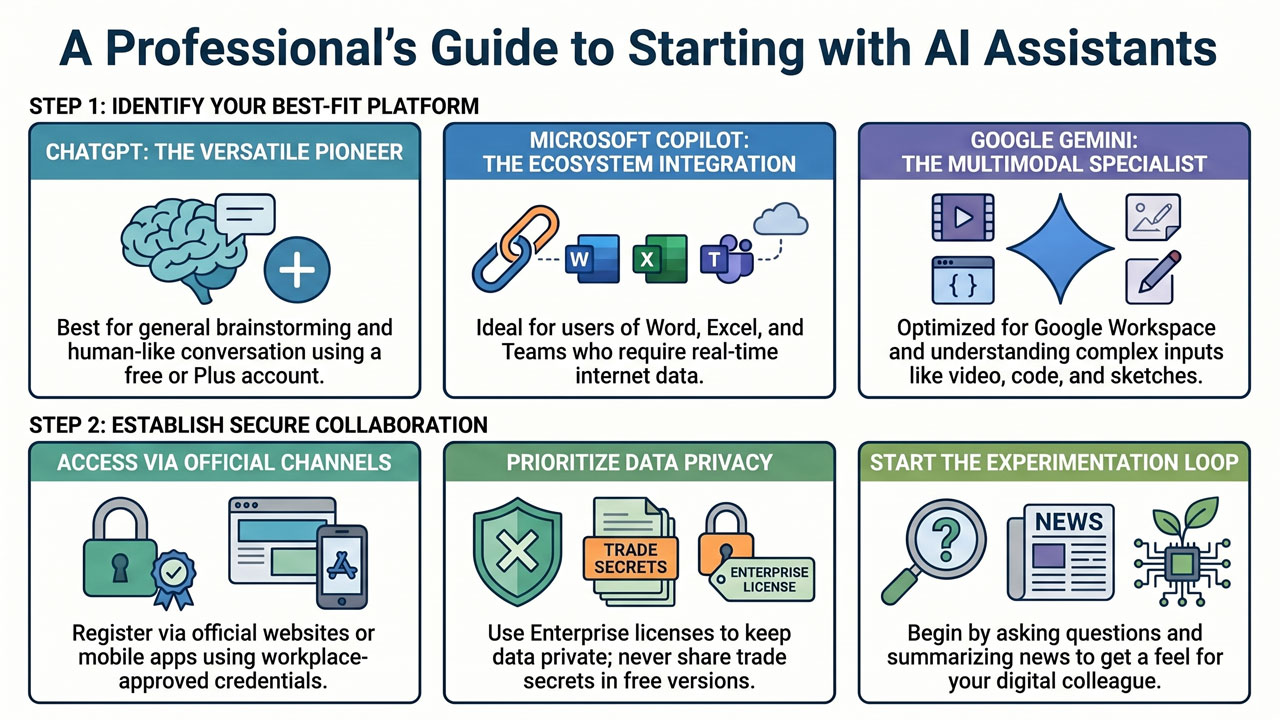
Choosing your first AI assistant can sometimes feel like standing in a car showroom with lots of shiny new models; they all get you from point A to point B, but they have slightly different equipment levels and feel different to drive. In today’s digital landscape, there are three major key players dominating the market. Getting started with any of them is fortunately both quick and simple. Let us take a closer look at the three most popular options: ChatGPT, Microsoft Copilot, and Google Gemini.
-
ChatGPT (from OpenAI): This is the pioneer that initiated the entire AI revolution for the general public. ChatGPT is renowned for its versatility and its incredibly human-like conversational style. To get started, you simply visit their website or download the app to your telephone and create a free account. The free version is exceptionally powerful and more than sufficient for you to test writing texts, bouncing ideas, and summarising information. If you later feel you want access to the very latest model, the ability to generate images, or to build your own small, bespoke assistants, there is a paid version (Plus). Bear in mind that everything you write in the open free version may be used to train the AI model, so the rule of absolutely zero personal data or trade secrets applies here.
-
Microsoft Copilot: If your workplace already operates within Microsoft’s ecosystem (with programmes such as Word, Excel, Teams, and Outlook), Copilot is often the most natural choice. The major advantage here is integration and security. If your company has activated Copilot with an enterprise licence (Copilot for Enterprise), this means that you are in a protected environment. The data remains within the company’s walls and is not used to train public models. You can access Copilot directly via the Edge browser, in a separate app, or built directly into your usual Office programmes. The beauty of Copilot is that it is also connected to the internet in real-time, making it excellent for summarising current news or searching for fresh industry information with source references.
-
Google Gemini: Google’s own AI assistant, Gemini, is designed to be a creative and analytical powerhouse. Just as Copilot is deeply rooted in Microsoft’s world, Gemini is naturally integrated into Google’s ecosystem, making it unbeatable if you work extensively in Google Docs, Gmail, or Google Workspace. Gemini (which you access via the web browser or as an app) is particularly known for being “multimodal” from the ground up. This means it is extremely proficient at understanding not only text, but also images, video, and code. For example, you can upload a photograph of a hand-drawn sketch from a whiteboard and ask Gemini to transform it into a structured text list. Here too, Google offers secure enterprise licences (Workspace) to protect your data.
Which one should you then choose? My best advice is to experiment. Choose the interface that feels best for you or the one your workplace has already approved. Register an account, start asking questions, and get a feel for what it is like to collaborate with your new digital colleague. The most important thing is not exactly which tool you use, but that you actually take the first step and start experimenting in a secure environment.